Important update to do for the Carminat TomTom: see this page.
How update the Carminat TomTom?
Like any GPS it is important to update the system (the software) but also the map that uses the GPS to guide.
To update, you must eject the SD card correctly in the GPS options so that you can remove the SD card and connect it to your computer. TomTom Home software will then need to be used to update.
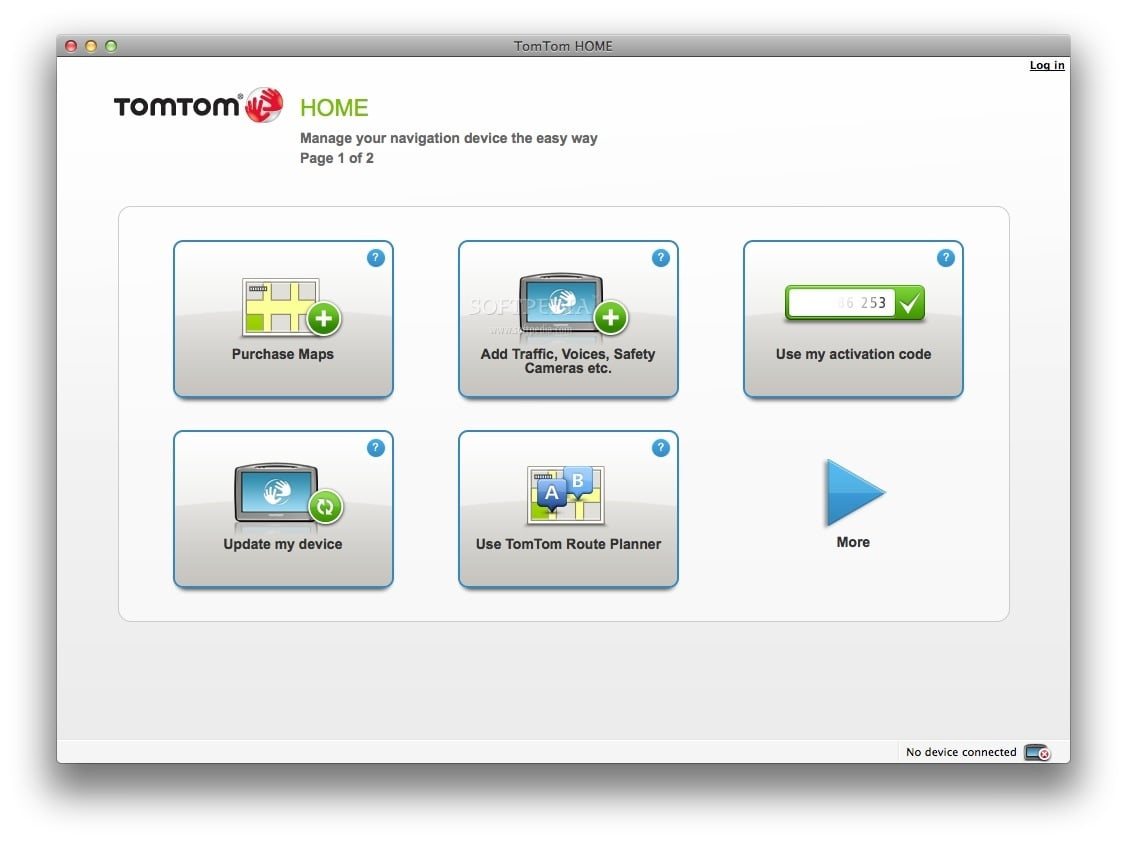
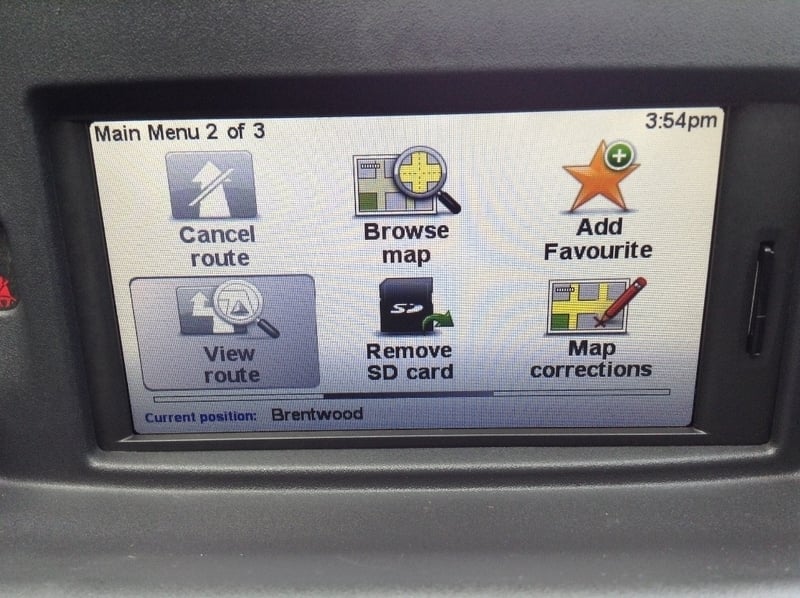
To update your Carminat, follow these steps:
-
- From the Main Menu on your Carminat TomTom, select Remove SD card.
- Wait until the message You can now safely remove your SD card is displayed.
- Remove the SD card from your Carminat TomTom.
- Insert the SD card into the card reader connected to your computer.
- If you have not yet installed TomTom HOME on your computer, you can download it here:
Download TomTom HOME for Windows Download TomTom HOME for Mac OS X
- If HOME does not automatically check for updates, click Update my device in the HOME menu.Note: if you would like to install an application you downloaded previously, click Add Traffic, Voices, Speed Cameras etc. > Items on my computer.
- If a new application is available, it is listed on the next screen.
Make sure the new application is selected, then click Download updates.HOME downloads the selected items… HOME then installs the selected items on your device. - Click Done.
- Click Device > Disconnect Device in the HOME menu. You can then disconnect your device from your computer.
- Inside your vehicle, make sure your Carminat TomTom and the radio are turned off, then insert the SD card into your Carminat.
- Switch on the ignition in your vehicle.
- Several screens are displayed. When prompted, confirm the installation by clicking Yes.The installation takes approximately 2 minutes.
When finished, the Carminat TomTom restarts automatically. - The first part of the update is now complete. You now need to repeat the steps 1-9 to download the update to the Danger Zones service for maps including France, at no additional cost.
What is the most update map?
Here is a table with the latest map avaible:
| Map version | Publication date | Snapshoot date |
|---|---|---|
| v1082 | 01/2022 | ? (Only maps with France) |
| v1080 | 11/2021 | 08/2021 |
| v1075 | 08/2021 | 05/2021 |
| v1070 | 05/2021 | 02/2021 |
| v1065 | 02/2021 | 12/2020 |
| v1060 | 11/2020 | 08/2020 |
| v1055 | 08/2020 | 05/2020 |
| v1050 | 26/05/2020 | 02/2020 |
| v1045 | 25/02/2020 | 12/2019 |
| v1040 | 26/11/2019 | 08/2019 |
| v1035 | 27/08/2019 | 06/2019 |
| v1030 | 06/06/2019 | 04/2019 |
| v1025 | 26/02/2019 | 12/2019 |
| v1020 | 04/12/2019 | 09/2019 |
| v1015 | 30/08/2018 | 06/2018 |
| v1011 | 29/06/2018 | 04/2018 |
| v1010 | 12/06/2018 | 04/2018 |
| v1005 | 27/02/2018 | 12/2017 |
| v1000 | 16/11/2017 | 08/2017 |
| v996 | 19/09/2017 | 06/2017 |
| v995 | 17/08/2017 | 05/2017 |
| v990 | 16/05/2017 | 05/2017 |
| v985 | 16/02/2017 | 11/2016 |
| v980 | 22/11/2016 | 08/2016 |
To buy a new map or a map subscription it will be necessary to go through the TomTom Home software.
Am I up to date for the software?
Here are the different software versions for Carminat TomTom. If you do not have the latest version, you can use the TomTom home software to update your GPS.
| Your software/firmware version | The most update version | |
|---|---|---|
| Carminat TomTom | 7.841 | 8.843 Big bug correction (WNRO) See this article |
| 7.842 | ||
| 8.840 | ||
| 8.841 | ||
| 8.842 | ||
| 8.843 | ||
| Carminat TomTom Live | 9.842 | 9.884 |
| 9.843 | ||
| 9.844 | ||
| 9.845 | ||
| 9.846 | ||
| 9.847 | ||
| 9.883 | ||
| 9.884 |